 Cookies Policy
Welcome to the Apex Auto Group Cookies Policy. This policy explains how we use cookies and similar technologies on our website to provide you with the best possible browsing experience and to improve our services. At Apex Auto Group, located in the heart of Seattle, Washington, we are committed to transparency and ensuring that you understand how your data is handled. This Cookies Policy is governed by the laws of Washington state and the United States.
What are Cookies?
Cookies are small text files that are placed on your computer or mobile device when you visit a website. They are widely used to make websites work more efficiently, as well as to provide information to the owners of the site. Cookies help us to remember your preferences, understand how you use our website, and personalize your experience.
Types of Cookies We Use
We use several types of cookies on the Apex Auto Group website:
- Strictly Necessary Cookies: These cookies are essential for the operation of our website. They enable you to navigate the site and use its features, such as accessing secure areas. Without these cookies, services you have asked for, like shopping baskets or e-billing, cannot be provided.
- Performance Cookies: These cookies collect information about how visitors use our website, such as which pages are visited most often and if they receive error messages. This helps us to improve the way our website works. These cookies do not collect information that identifies a visitor. All information these cookies collect is aggregated and therefore anonymous.
- Functionality Cookies: These cookies allow our website to remember choices you make (such as your user name, language, or region) and provide enhanced, more personal features. For instance, a website may be able to provide you with local weather reports or traffic news by storing in a cookie the region in which you are currently located. Functionality cookies can also be used to provide services you have asked for, such as watching a video or commenting on a blog. The information these cookies collect may be anonymized and they cannot track your browsing activity on other websites.
- Targeting or Advertising Cookies: These cookies are used to deliver advertisements more relevant to you and your interests. They are also used to limit the number of times you see an advertisement as well as help measure the effectiveness of the advertising campaigns. They are usually placed by advertising networks with the website operator’s permission. They remember that you have visited a website and this information is shared with other organizations such as advertisers. Quite often targeting or advertising cookies will be linked to site functionality provided by the other organization.
Purposes of Cookie Usage
We use cookies for the following purposes:
- To personalize your experience on our website, such as remembering your preferences and settings.
- To analyze website traffic and usage patterns to improve our website's performance and content.
- To provide relevant advertisements and marketing communications based on your interests and browsing behavior.
- To enable essential website functions, such as secure login and form submissions.
Specific Cookies Used
The following table lists the specific cookies we use on our website, along with their purpose and duration:
| Cookie Name | Purpose | Duration | Type |
|---|---|---|---|
| _ga | Used to distinguish users. | 2 years | Performance |
| _gid | Used to distinguish users. | 24 hours | Performance |
| _gat | Used to throttle request rate. | 1 minute | Performance |
| PHPSESSID | Used to maintain session state. | Session | Strictly Necessary |
| apex_pref | Remembers user preferences. | 1 year | Functionality |
| ad_user_data | Tracks user for advertising purposes. | 3 months | Targeting/Advertising |
Cookie Management Options
You have several options for managing cookies:
- Browser Settings: You can control cookies through your web browser settings. Most browsers allow you to block or delete cookies. However, please note that blocking cookies may affect your ability to use certain features of our website. Refer to your browser's help documentation for instructions on how to manage cookies.
- Third-Party Tools: There are also third-party tools and browser extensions available that can help you manage cookies and online tracking.
- Opt-Out Links: Some of our advertising partners provide opt-out links that allow you to prevent them from collecting data about your browsing behavior.
Detailed Instructions for Managing Cookies in Popular Browsers
Here's how you can manage cookies in some of the most popular web browsers:
Google Chrome
- Open Chrome on your computer.
-
At the top right, click More
 and then Settings.
- Click Privacy and security and then Cookies and other site data.
-
Select an option:
- Block third-party cookies
- Block all cookies (Not recommended)
- Clear cookies and site data when you quit Chrome
Mozilla Firefox
-
Click the menu button
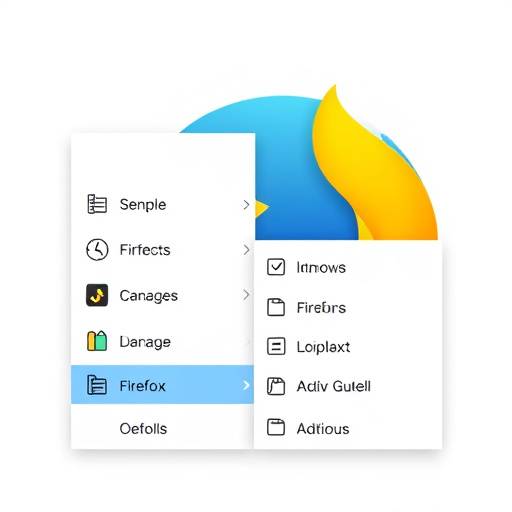 and choose Settings.
- Select the Privacy & Security panel.
-
Under Cookies and Site Data, choose one of the following:
- Standard: Allows all cookies.
- Strict: Blocks all cookies.
- Custom: Configure settings to block specific types of cookies.
Microsoft Edge
- Open Microsoft Edge.
-
Click the More actions button
 (three dots) in the upper-right corner.
- Click Settings.
- Select Cookies and site permissions.
- Click Manage and delete cookies and site data.
-
Choose an option:
- Block third-party cookies
- See all cookies and site data (Allows you to remove individual cookies)
Safari
- Open Safari.
- Choose Safari and then Preferences.
- Click Privacy.
-
Under "Cookies and website data," select an option:
- Block all cookies
- Allow from websites I visit
Changes to this Policy
We may update this Cookies Policy from time to time to reflect changes in our practices or legal requirements. We will post any changes on our website and update the "Last Updated" date at the top of this policy. We encourage you to review this policy periodically to stay informed about our use of cookies.
Contact Us
If you have any questions or concerns about our Cookies Policy, please contact us at:
Apex Auto Group
123 Lakeview Blvd
Seattle, WA 98109
Email:
privacy@apexautogroup.com
Phone: (206) 555-APEX (2739)
This Cookies Policy was last updated on October 26, 2023. Reviewed and approved by Sarah Chen, Data Protection Officer, Apex Auto Group.